
How to link your LINE account and get order updates instantly
09/09/2026
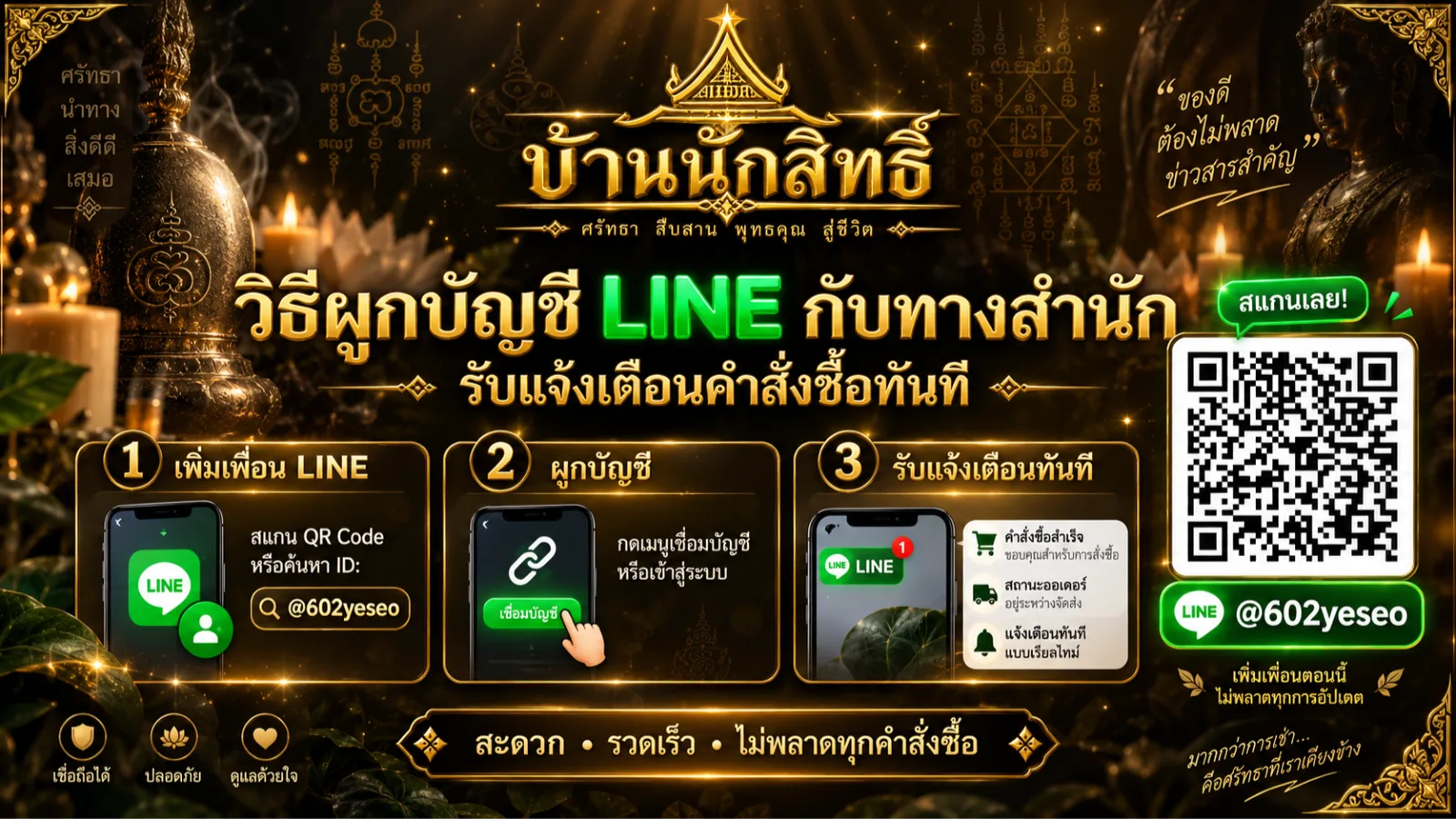
You can now link your LINE account to your orders with us. It takes less than a minute, costs nothing, and once done it works for every future order.
Why link your account
1. Know straight away that your order reached us
Instead of wondering whether your order went through, you receive a confirmation with your order code and total the moment you place it.
2. Know the moment we confirm your payment
After you send your transfer slip, our team checks it and marks it confirmed. You are told immediately that the payment arrived and that we are preparing your piece — no need to ask.
3. Get your tracking number with a link that opens the courier's page
When we ship, you receive the tracking number, the courier's name and a tracking link in one message. One tap takes you straight to the courier's tracking page.
4. Reminders before an instalment falls due — the most important one
If you reserved a piece on an instalment plan, we send a reminder before each due date, and again if a payment becomes overdue.
Under the reservation terms, a payment left overdue beyond the agreed period forfeits the reservation. Advance reminders protect your reservation directly.
5. No lost emails
Notification emails sometimes end up in a spam folder without you ever seeing them. LINE is an app you already have open every day. We still send the emails as well — LINE is the faster channel, email remains your full record.
6. Reply and ask us anything in the same chat
If a notification raises a question, just type your reply in that same chat. Our team sees it and answers there.
How to link — three steps
Step 1 — Add our official account as a friend
Tap this link on your phone — Add Baannaksit's official account, then tap "Add friend".
Search in the LINE app — open LINE, tap the search box and type @602yeseo (include the @), then add.
Scan the QR code — at the shop, or on the paperwork included with your parcel.
Step 2 — Send us one piece of information to identify you
Open that chat and send either of the following:
The phone number you used to order — with or without dashes, both work.
Your order code — the code beginning with BN, for example BN260905K8OV. You will find it in your order confirmation email or on the order tracking page.
Send just that on its own; no other wording is needed.
Step 3 — Wait for the confirmation
Within seconds you will get a reply greeting you by name and confirming the link. That is all — nothing further to do.
If it does not work
"We could not find that number" — you may have ordered with a different number, so try your BN order code instead; or you may not have ordered with us yet, in which case place your first order and link afterwards.
"We could not find that order code" — check every character. Order codes mix letters and digits, so look carefully at the difference between the digit 0 and the letter O.
No reply at all — check that you actually tapped "Add friend". Until you do, your messages do not reach us.
Common questions
Does it cost anything? No, nothing at all.
Will I get marketing spam? No. We send only messages about your own order: received, payment confirmed, shipped with tracking, and instalment reminders — and only when something actually happens.
Do I have to link again for each order? No. Link once and it applies to every order after that.
How do I stop the messages? Block or remove our official account at any time and the messages stop immediately, or tell our team and we will unlink you. You can link again later using the same steps.
Is my information safe? We use the link only to tell you about your own orders, and never disclose it to outside parties. You may ask to see, correct or delete your data at any time — see our privacy policy.